
How the service works
A repeatable onsite service routine backed by a customer-facing reporting system.
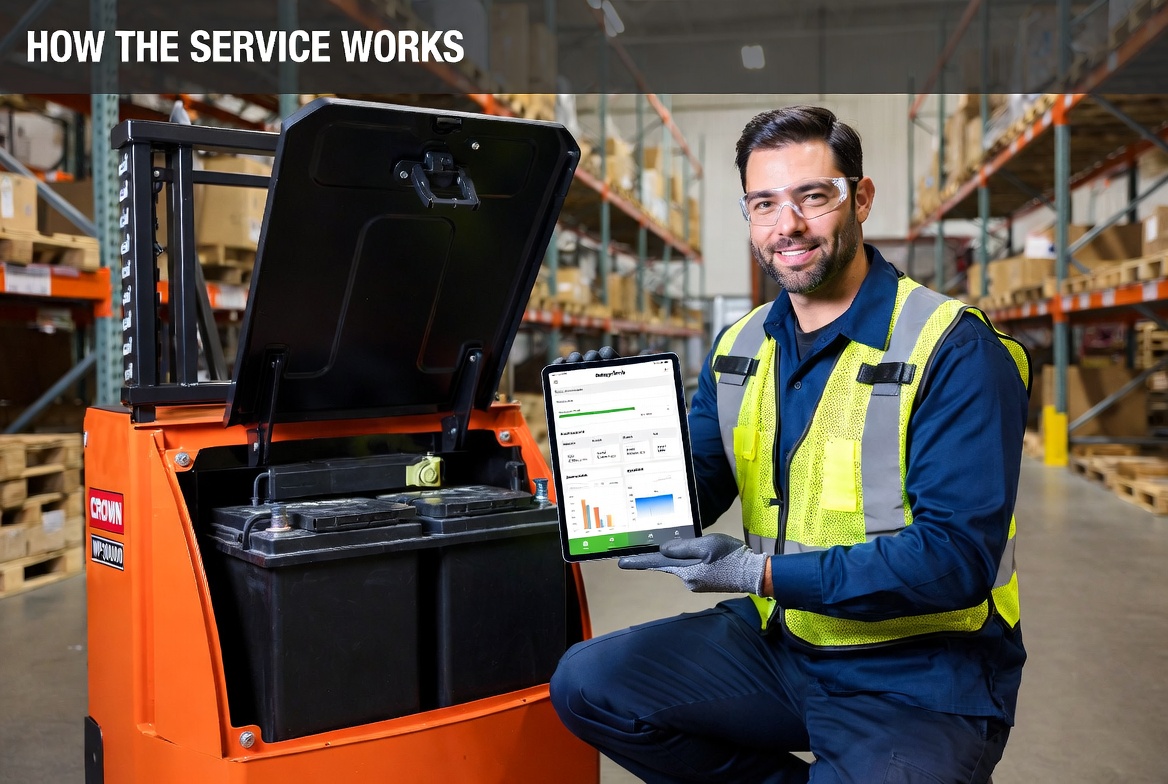
The workflow covers new equipment onboarding, recurring service visits, technician logging, customer visibility, and a portfolio view for internal operations.
01
Arrive on site
Select the customer, location, and pallet jack by asset tag or QR code.
02
Inspect the unit
Open the pallet jack, verify battery positions, and check the bay condition.
03
Record readings
Log voltage, distilled water added, condition, and notes for each battery.
04
Sync history
Customer dashboards update automatically with charts, service logs, and alerts.
What the technician is checking
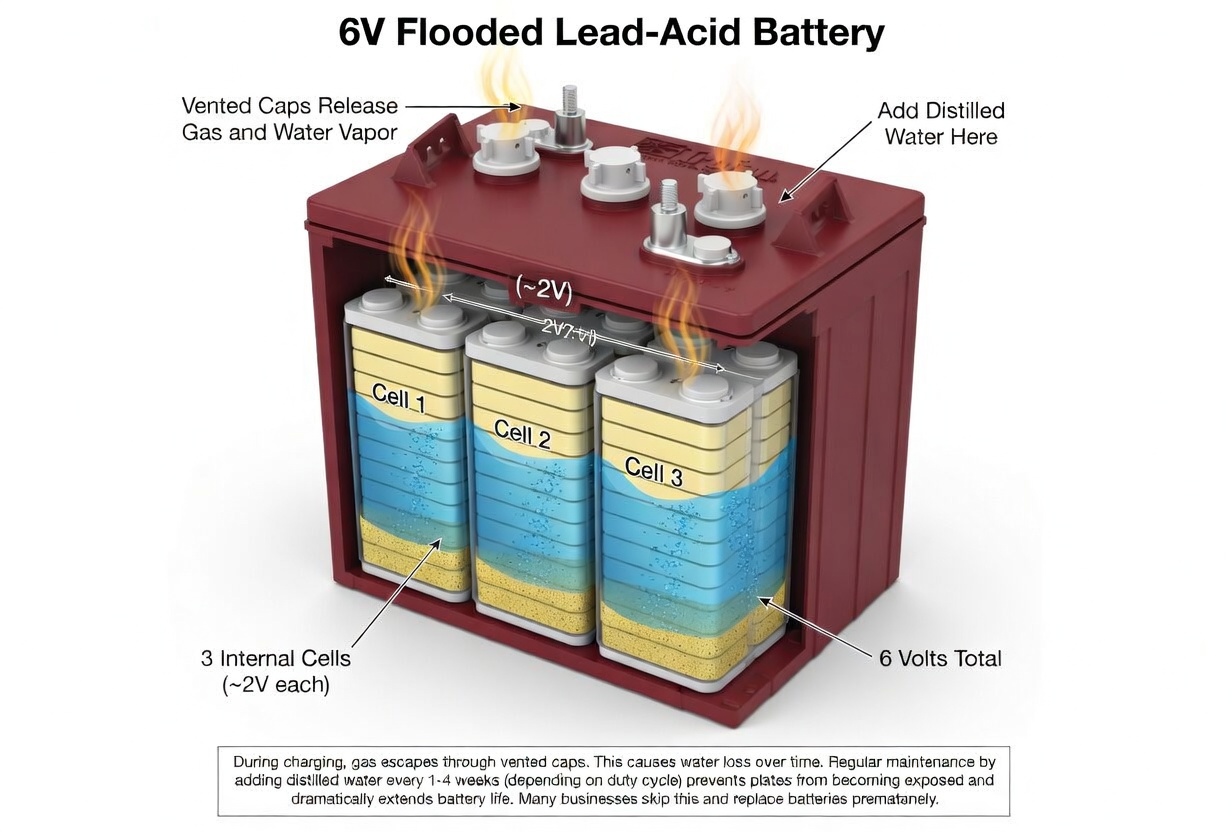
A flooded battery only lasts if the plates stay covered and the cells stay alive.
This is the practical part most customers never see. Water gets added through the vent caps, each 6V battery is made up of three internal cells, and once water drops too low the exposed plates start taking permanent damage.
- Distilled water is added at the fill points under the vent caps
- Each 6V battery contains three internal cells at roughly 2V each
- Low water exposes plates, speeds up heat damage, and drags voltage down
- Routine inspection is cheaper than waiting for a dead unit and replacing batteries
Technician workflow
- Select customer, location, and pallet jack
- Scan or enter the QR / asset code
- Record voltage, water added, temperature, and notes
- Save the visit and update history automatically
Customer experience
- Customer staff get read-only operational visibility
- Customer admins see reports, exports, and user management
- Internal admins see the entire portfolio and platform settings
- Guest and bot-safe visitors only see sample demo data